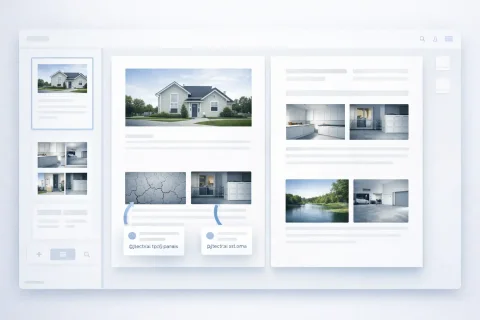
Generating a photo report is the step of converting prepared photos into a finished document. As a result, the user gets a structured DOCX file with images, captions, and formatting.
The function is used for preparing photo documentation, work completion reports, and delivering materials to clients or archives.
Creating a Photo Report in Word (DOCX)
Andrey Apanasenko
Founder and developer of Photo Reports
Developed based on practical experience in professional documentation preparation
Before creating a photo report, parameters that affect the final file can be set:
page orientation (portrait or landscape);
number of photos per page;
image placement structure;
formatting parameters.
Why this is important
Settings allow you to:
meet specific project requirements;
correctly display many images;
follow internal company standards.
How the Document Is Generated
The photo report creation process includes:
Upload photos.
Edit and sort.
Add photo captions.
Choose a layout and configure the structure.
Generate and download the document.
After this, the system generates a DOCX file ready for use.
What the Final File Contains
The generated photo report includes:
all added images;
photo captions and descriptions;
numbering;
page structure;
formatting according to the layout.
What does not need to be done manually
The user does not need to:
move photos into Word;
create tables;
align images;
format captions manually.
All actions are performed automatically.
Sending a Photo Report by Email
Additionally, you can send the photo report to the email address associated with a verified user account.
The report is sent as an archive containing:
images used in the photo report (in WEBP format);
a photo report detail file in DOCX format.
Photo report detail
A separate document with a table containing information about all photos is created in the archive.
The table has 3 columns:
Photo number
Photo description / capture context
Filename (image file name)
Capture context
When using the INSPECTOR mobile app, the photo report is supplemented with capture context data.
This allows you to:
record additional parameters;
increase the reliability of photo documentation;
use reports in inspections and expert assessments.
"Capture context" is filled automatically if the photos were taken through the INSPECTOR mobile app with the context-saving function enabled.
In this case, the detail file will contain additional data:
capture conditions;
recording parameters;
information accompanying the image.
Why this is important
Sending the archive with details allows you to:
deliver a complete set of photo data to the client;
use the photo report as an evidence base;
store structured photo documentation together with source files.
Where this is used
This integration is especially important for:
object inspections;
construction control;
insurance surveys;
technical expert assessment.
Practical Application
Generated photo reports are used for:
work completion reports;
construction documentation;
inspections and audits;
insurance cases;
expert assessments and surveys.
Why Generating a Photo Report Is a Key Step
Document generation completes the work with photos.
This step allows you to:
obtain a finished photo report in Word;
deliver the result without additional processing;
ensure a uniform formatting standard;
use the document in official reporting.
As a result, the photo report becomes a fully functional working document, not just a set of images.
Related Guides
This feature is used in various tasks requiring photo documentation and report preparation.