Service Capabilities for Creating Photo Reports
The Photo-reports.online service provides a set of tools for creating photo reports, photo tables, and structured photo documentation. All features are designed to simplify working with photos, streamline the documentation process, and reduce report preparation time. This page collects the main capabilities of the platform. For each feature, detailed descriptions with instructions and usage examples are available.

Andrey Apanasenko
Founder and developer of Photo Reports
Uploading and Adding Photos
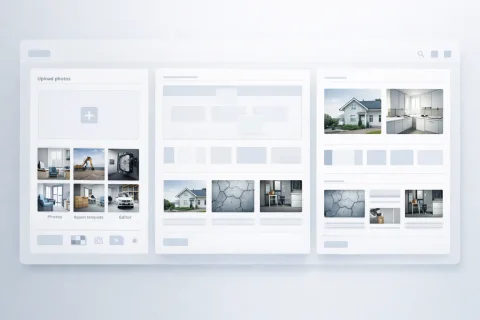
Working with a photo report starts with adding images. The service allows you to upload photos from your device and form a unified dataset for subsequent processing. Capabilities include:
- adding photos to the report
- batch image upload
- working with large volumes of files
- preparing photos for further structuring
Use features in the service
Photo Report Layout Settings
After uploading photos, a layout settings block becomes available on the report page. The visual structure of the layout matches how the final DOCX document will appear, allowing you to preview the result before generation. Settings let you adapt the photo table structure to specific tasks—from a standard table layout to specialized formats with dedicated areas for photos and comments. → More details: photo report layout settings
Sorting and Organizing Photos
After uploading, photos need to be ordered. The service provides tools for logical organization of images within the report. Available actions:
- reorder photos
- group images
- prepare display sequence
- form the report structure
Editing Images
Built-in editing tools allow you to prepare photos without using third-party software. Editing functions include:
- rotate images
- adjust orientation
- basic photo preparation before inclusion in the report
Captions and Comments on Photos
For a complete photo report, both the image and its description are important. The service allows you to add explanations to each photo. Capabilities:
- text captions
- image explanations
- descriptions of work stages or object condition
Batch Actions on Photos
When working with many images, the service allows batch actions on multiple photos at once. Main capabilities:
- delete selected photos
- batch add descriptions
- rotate images (clockwise or counterclockwise)
- work with groups of photos using checkboxes
Generating a Photo Report Document
After preparing the photos, the service lets you generate a ready-to-use document. Main capabilities:
- create photo report in DOCX format
- automatic structure formatting
- include photos and captions in a single document
Team Collaboration
The service supports collaborative work on photo reports within a team. Users can access projects, edit reports, and store data centrally. This allows you to:
- have multiple specialists work on reports
- avoid data duplication
- speed up document preparation and approval
Integration with the Mobile App
The web service integrates with the INSPECTOR mobile app for on-site photo capture. The app allows you to:
- take photos with GPS and time stamps
- work offline
- automatically transfer data to the web version
When to Use Service Functions
Platform functions are applied in tasks related to documenting and recording:
- conducting inspections and audits
- supervising work completion
- preparing reports for clients
- recording object condition
- documenting processes
How Functions Work Together
For a more detailed study of service capabilities, use the following sections:
- Guides to creating photo reports
- Instructions for working with photos
- Examples of use in various fields
Core Features (Full List)
All service functions share the same goal: reducing the time spent on routine operations when creating photo reports. This list of features will help you quickly get familiar with the service:
How to Use the Functions
Practical guides for creating a complete photo report: