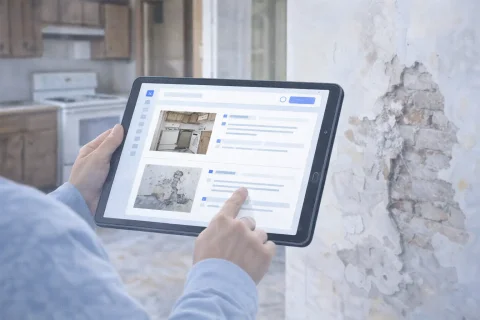

Site Inspection Report with Photos
A site inspection report with photos documents the condition of a building, equipment, or area. Simplifies analysis and decision-making.

What is a site inspection report with photos
A site inspection report with photos is a structured document where visual documentation is used as an integral part of the inspection, not as a random appendix to the text. Its purpose is to show the condition of the asset at a specific point in time and record the details that matter for verification, assessment, approval, or decision-making. Typically, such a report is needed when the outcome of the inspection must be understood not only by the person who was on site but also by other stakeholders in the process. This could be a client, project manager, engineer, technical specialist, contractor, management company, insurance party, or internal control department. The main difference between this document and a simple collection of photos lies in the structure. Not only the images themselves are important but also their order, captions, grouping logic, and the overall conclusion based on the inspection. This is what makes the photo report a working document, not just an archive of snapshots.
Create a photo report for your use case
When is a site inspection report used
This format is particularly useful in situations where it's necessary not only to view the asset but also to document its condition and communicate the inspection results to other parties involved. Below are the primary scenarios where a photo report from a site inspection is especially in demand.
Acceptance of assets and premises
Checks and inspections
Operation and maintenance of assets
Insurance and dispute situations
Mobile field reporting
Start a site inspection report with mobile photo documentation
During site inspections, INSPECTOR helps you capture rooms, areas, defects, equipment, and completed work linked to location and time.
- On-site property inspection
- Photos with GPS and address
- Image order in the report
- DOCX report after inspection
Carry out a site inspection in INSPECTOR
Create a document, take photos on site, and get a structured report once the inspection is complete.
What a site inspection report includes
A good site inspection photo report is structured so that one can quickly understand what exactly was checked, what was found, and what conclusions can be drawn from the inspection. To this end, the document usually includes several mandatory parts.
Photos of the asset's condition
Documentation of defects, specifics, and remarks
Structured description of results
Final assessment or conclusions
What photos are needed for a site inspection report
For the photo report to truly aid in analyzing the asset, it's important to include not random shots, but images that reveal the asset's condition from different angles. Below are the main types of photos that typically form the basis of such a document.
General view of the asset
Photos of problem areas
Detailed shots
Photos linked to a zone or element
Additional supporting materials
How to properly prepare a site inspection report
Even good photos can work poorly if the document is assembled without logic. For the report to be useful, its layout should help the reader quickly understand the inspection structure and the results of the check.
- First, photos should be arranged sequentially. This could be an order by zones, rooms, asset elements, or the logic of the inspection route. If images are placed haphazardly, analyzing the document becomes more difficult.
- Second, it's useful to group photos into meaningful blocks. For example, showing the facade, interior spaces, engineering elements, problem areas, or sections with remarks separately. Such presentation makes the document predictable and easy to read.
- Third, explanations should be added to photos. Even brief captions help understand what exactly is shown in the image and why this area is important in the context of the inspection.
- Fourth, it's worth using a consistent layout format. When sections, photos, and explanations are formatted uniformly throughout the document, the report looks more professional and is easier to comprehend.
- Fifth, it's important to maintain a logical conclusion. The reader should not just scroll through the shots but arrive at a clear conclusion based on the inspection results.
Structure of a site inspection report
The structure of such a document should help sequentially move from a general understanding of the asset to specific observations and conclusions. In practice, it's convenient to use a few basic blocks.
Introductory information
Main sections by zones or elements
Photos and explanations
Concluding part
Common mistakes when preparing a site inspection report
Even if the photos are high-quality, the document may be inconvenient for analysis due to presentation errors. Below are the most frequent issues that reduce the practical value of a photo report.
Chaotic placement of photos
Lack of explanations
Lack of overall context
Too large or too small volume
No clear conclusion
How to prepare a site inspection report online
Using a specialized service allows you not to assemble such a document manually but to build it in one process – from uploading photos to generating the final file. This is especially convenient in cases where inspections are conducted regularly or the document needs to be quickly shared with other stakeholders. The workflow typically proceeds as follows:
- First, photos are taken on site following a clear logic: overview, key zones, problem sections, details.
- Then the images are uploaded to the system and distributed according to the report structure.
- After that, captions and explanations are added to the photos.
- The document is grouped by zones, sections, or asset elements.
- Finally, the final file is generated for analysis, sending, or storage.
Advantages of a digital site inspection photo report
The digital format is particularly useful where reports need to be generated regularly, quickly, and in a comparable form. It makes the process of inspection and data recording more manageable.
- First, it speeds up document preparation. There's no need to manually transfer materials into disparate files and spend a lot of time assembling the structure.
- Second, the digital format helps maintain a consistent inspection standard. This is important if different employees, contractors, or inspectors are working with assets.
- Third, it simplifies working with a large number of photos. When images can be sorted and grouped, even a large inspection remains structurally clear.
- Fourth, the final document is easier to use in further work: sending, attaching to a report, saving in the asset's history, or using as a basis for re-inspection.
Where this format is especially in demand
The site inspection report with photos is used in many industries but is particularly useful where the condition of an asset needs to be documented accurately and visually.
Real estate and premises acceptance
Construction and technical surveys
Operation and maintenance
Inspections and audits
Insurance and dispute cases
Guides used
To assemble such a report faster and avoid typical mistakes, it's helpful to rely on related guides. They help build not only the document itself but also the workflow for preparing materials.
- How to add photos to a photo report — helps upload materials correctly and assemble the foundation of the document. This is important in the first stage, when the future report is formed from individual shots.
- How to organize photos in a photo report — shows how to build a logical structure and distribute images into meaningful blocks. This is particularly useful for inspections where there are many zones and different types of photos on site.
- How to make a photo report online — provides a general scenario for creating a document in digital format. This material helps move faster from a collection of photos to a finished working report.
Features used
For preparing a site inspection report, features that help work with the material directly during the inspection and then quickly assemble it into a single document are particularly important.
- Mobile work — allows you to take and use photos directly on site. This is convenient when the inspection takes place in real conditions and the material needs to be recorded immediately, without unnecessary intermediate steps.
- Photo sorting — helps distribute images according to the logic of the document. Thanks to this, the report is easier to read, and photos don't turn into a chaotic collection of shots.
- Photo uploading — is necessary for quickly transferring materials into the system and further working with them. This is a basic feature without which it's impossible to build a sustainable report preparation process.