
How to Add Photos to a Photo Report

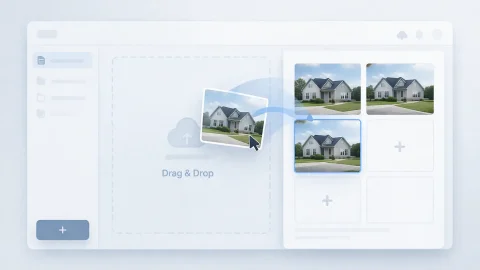
Adding photos is the first step in creating a photo report. You can upload images from your computer or mobile device and immediately start building the document structure. The service supports batch photo upload, allowing you to quickly transfer shooting results into the system and prepare them for further processing.

How to Add Photos to a Photo Report

Ways to Add Photos

Photos can be added in several ways:

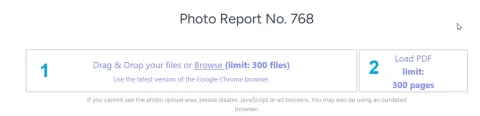
  • upload individual files
  • add images from a PDF document
  • photo capture in the mobile app
  • add from the mobile device gallery
  • After upload, the images become available for editing, sorting, and formatting.

Try the service

If you're not logged in and just want to test the steps from the guide:
If you want to create full-featured photo reports in the dashboard — top up your balance in your user profile.

Quick Start Scenarios

Step‑by‑Step Guide: Adding Photos to a Photo Report

Adding images to a photo report is a fundamental step that determines the structure of the entire document. Below is a universal workflow for working with photos in the service.

Step 1. Prepare your photos

Before uploading, we recommend:
  • checking image quality;
  • removing duplicates;
  • grouping photos by stage or area;
  • ensuring the photos match the task (inspection, defect, work stage).
This will simplify later organization of the photo report.

Step 2. Upload the photos

Image 1
Add the images using one of the available methods:
  • upload from your computer;
  • select files from your mobile device;
  • import from a PDF;
  • sync via the mobile app.
Use the batch upload feature to speed up the process when needed. → More about uploading photos to a photo report.

Step 3. Review and basic processing

After uploading, we recommend:
  • checking image orientation;
  • removing unwanted files;
  • rotating photos if necessary;
  • preparing the images for structuring.
→ More about editing images.

Batch Adding Photos to a Photo Report

When working with photo reports, being able to handle large numbers of images is important. This is necessary, for example, in:

  • site inspections;
  • construction reporting;
  • insurance surveys;
  • before/after documentation.

Advantages of batch actions

  • Speeds up photo report creation;
  • Reduces manual steps;
  • Lets you work with the complete dataset immediately;
  • Simplifies later sorting and grouping.

How to work with a large number of photos

Image 1
After uploading, use:
  • batch actions (delete, rotate, select);
  • photo and whole‑page sorting;
  • grouping by report logic;
  • numbering.
  • → More about batch actions on photos.

    Adding Photos from Your Phone (Mobile Work)

    For field tasks, it is more convenient to use the mobile version of the website or the mobile app.

    How it works

    Image 1
    • photos are taken directly on site;
    • data is recorded with time and location;
    • images are automatically synced with the web version;
    • photos are immediately available in the report.

    Benefits of mobile photo capture

    Image 1
    • No need to transfer files manually;
    • Lower risk of data loss;
    • Faster report creation;
    • A single, consistent workflow.
    → More about integration with the mobile app

    How to Prepare Photos for a Photo Report

    Photo quality directly affects how the document is perceived.

    Recommendations

    • Use a consistent orientation (portrait/landscape);
    • Avoid blurry images;
    • Capture key details (defects, structural elements);
    • Take both overview and close‑up shots.

    Common mistakes

    • Uploading unnecessary or duplicate photos;
    • Lack of logical sequence;
    • Mismatch between photos and descriptions;
    • Too much volume without structure.

    How Adding Photos Affects the Structure of a Photo Report

    The added images form the backbone of the document.

    What happens after upload

    Image 1
    • A photo list is created;
    • A photo table is formed;
    • Layout settings become available;
    • You can start adding captions.

    Use Cases

    This functionality is used in almost all scenarios:

    • technical inspections;
    • construction supervision;
    • insurance claims;
    • logistics and acceptance;
    • work completion reports.

    Functions Used

    This guide uses the following functions:

    Where It Is Used

    This guide can be applied, for example, in the following fields:

    Related Guides

    Frequently Asked Questions about Adding Photos

    The number depends on your account type. Typically from tens to several hundred images.
    Yes, batch upload is supported.
    Yes, photos can be sorted and moved into any sequence.
    Yes, you can edit and supplement the photo report at any time.