
BEFORE AND AFTER PHOTO REPORTS

Before and After Photo Report App

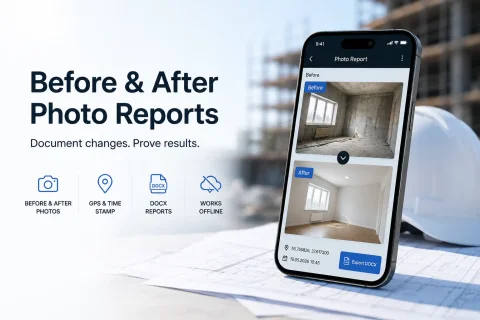
INSPECTOR is a mobile app for creating before and after photo reports for renovations, construction, field service, cleaning, logistics, and technical inspections. The app helps document property condition changes, verify completed work, and generate structured DOCX photo reports.

  • Before and after photos
  • DOCX photo reports
  • GPS & location stamp
  • Proof of completed work
  • Progress photo documentation
  • Offline photo capture
Before and after photo report mobile app
Before/After
Before and after photos
DOCX
Photo reports
GPS
Capture geolocation
Offline
Works without internet

Download the inspection app

Andrey Apanasenko — founder and developer of INSPECTOR

Andrey Apanasenko

Founder and developer of INSPECTOR

Developed based on 17+ years of practical experience

INSPECTOR was created by Andrey Apanasenko, a developer and specialist with practical experience in inspections, forensic examinations, photo documentation, property appraisal, and professional documentation.

PROPERTY CONDITION PHOTO DOCUMENTATION

Before and after photo report app

INSPECTOR helps document property condition changes during renovations, construction, field service, cleaning, equipment installation, and other on-site work. During photo capture, the user can:
  • take photos before work begins;
  • capture the property condition after work completion;
  • save GPS geolocation and capture address;
  • add photo date and time;
  • highlight key areas on images;
  • prepare DOCX photo reports;
  • work offline.
INSPECTOR helps structure photo documentation and automatically links photos to the report structure.

COMPLETED WORK VERIFICATION

How INSPECTOR helps document work results

Before and after photo reports are especially useful for renovations, construction, field service visits, cleaning, logistics, and technical maintenance. The app helps:
  • verify work completion;
  • document property condition changes;
  • compare before and after photos;
  • prepare reports for clients;
  • document work stages;
  • save capture location and time data.
INSPECTOR helps make the photo documentation process more transparent and convenient for contractors, specialists, field service engineers, and managers.

WHERE BEFORE AND AFTER PHOTO REPORTS ARE USED

What tasks INSPECTOR is suitable for

Before and after photo reports help confirm property condition changes, completed work results, and the sequence of actions on site.

Renovations & finishing work

Before and after apartment renovation photos, finishing work documentation, and repair progress reports.

Construction monitoring

Construction progress photos, completed work verification, and documentation of site condition changes.

Cleaning services

Before and after cleaning photos, cleaning result confirmation, and cleaning photo reports.

Equipment installation

Before and after installation photos, equipment setup verification, and technical photo reports.

Field service & maintenance

Before and after service photos, completed work confirmation, and service photo reports.

Logistics & transportation

Cargo condition photos before and after transport, packaging integrity control, and logistics photo reports.

PHOTO REPORT CAPABILITIES

What INSPECTOR can do for before and after photo documentation

INSPECTOR combines mobile photo capture, structured photo reports, GPS-tagged photos, and property change documentation in one workflow.

Before and after photos

The app helps capture the condition of a property before work starts and after completion.

GPS & location stamp

During capture, INSPECTOR can save geolocation, address, date, and time with every photo.

Work completion photo evidence

Photos are automatically linked to the photo report structure for easy reference.

DOCX photo reports

The app generates structured photo reports for clients, contractors, and managers.

Photo annotations

Highlight key areas and condition changes directly on images.

Offline photo capture

Photo documentation and report creation are available even without a network connection.

PHOTO REPORT CREATION PROCESS

How INSPECTOR helps create before and after reports

The app helps organize condition change documentation directly at the job site.

Mobile app documentation
  1. 1

    Create a photo report

    Add a new document for a property, repair, inspection, or field service visit.

  2. 2

    Take before photos

    Capture the initial condition of the room, equipment, cargo, or property.

  3. 3

    Take after photos

    Confirm condition changes and the result of the completed work.

  4. 4

    Add descriptions & annotations

    Caption photos and highlight important areas on images.

  5. 5

    Generate a DOCX photo report

    Send the finished report to a client or continue working via Photo-reports.online.

WHAT CAN BE VERIFIED

What data helps confirm property condition changes

INSPECTOR helps preserve data related to the photo capture process and photo report creation.

More about capture context

Capture date and time

Timestamps help verify the chronological order of completed work.

Capture geolocation

Photos can include GPS coordinates and the property address.

Link to photo report

Photos are consolidated within the document structure.

Before and after comparison

Compare property condition at different stages side by side.

Photo descriptions

Annotations help document actions taken and property changes.

Capture context

INSPECTOR helps save technical data related to the photo capture process.

FAQ

Frequently asked questions about before and after photo reports

What are before and after photo reports used for?

These photo reports help verify the condition of a property before work starts and after it is completed.

Can INSPECTOR be used for renovations and construction?

Yes. The app is suitable for construction monitoring, renovations, finishing work, and progress photo documentation.

Are GPS-tagged photos supported?

Yes. INSPECTOR can save geolocation, address, date, and time of capture.

Can I create DOCX photo reports?

Yes. The app automatically generates structured DOCX photo reports.

Does the app work without internet?

Yes. Photo capture and report work are supported offline.

Can I highlight changes on photos?

Yes. INSPECTOR supports image annotation and highlighting key areas.

Is there a web version?

Yes. Photo reports are accessible via Photo-reports.online.

Create before and after photo reports in INSPECTOR

Download the mobile app for property condition photo documentation, GPS photos, DOCX photo reports, and completed work verification.