How to Organize Photos in a Photo Report

Organizing photos helps create a logical document structure and correctly reflect the sequence of events or work stages. A well-structured photo report is easier to understand and use in your work.

How to Organize Photos in a Photo Report

Ways to Organize Photos

To arrange images, the following actions are used:

  • change photo order
  • group images
  • distribute across pages
This is especially important when creating reports for inspections and construction work.

Try the service

If you're not logged in and just want to test the steps from the guide:
If you want to create full-featured photo reports in the dashboard — top up your balance in your user profile.

Quick Scenario for Organizing a Photo Report

  1. Upload photos
  2. Determine the principle (by time / zones / tasks)
  3. Group images
  4. Distribute across pages
  5. Sort within blocks
  6. Add captions
  7. Check logic before export

Approaches to Organizing Photos in a Photo Report

Organizing images in a photo report depends on the type of task, data volume, and document requirements. In practice, several basic approaches are used that can be combined.


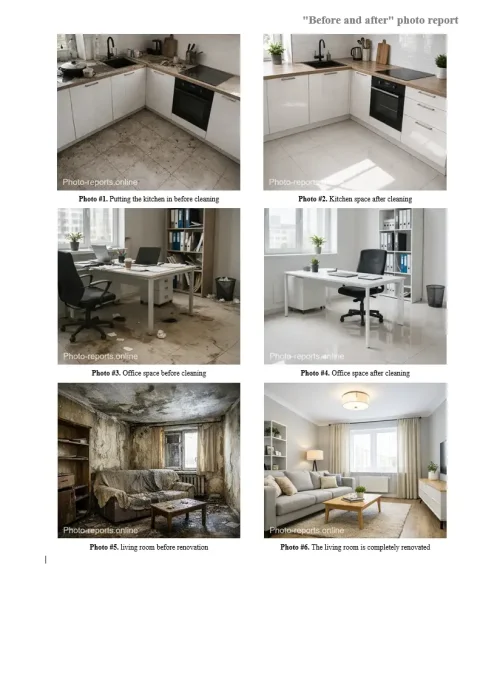
"Before / After" format

Image 1
Photos are grouped into pairs or groups:
  • initial state;
  • result of work performed.
Used to visually demonstrate changes and is often applied in client reports.

How to Properly Structure a Photo Report

Organizing photos is not just about the order of images, but also the structure of the entire document.
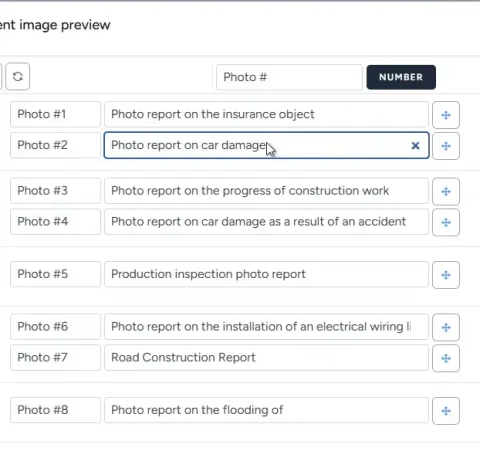
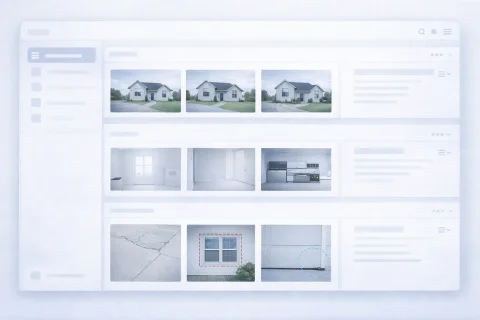
Dividing across pages

Each page should have logical completeness:
  • a separate stage;
  • a specific zone;
  • one type of work.
This simplifies navigation and understanding of the report.

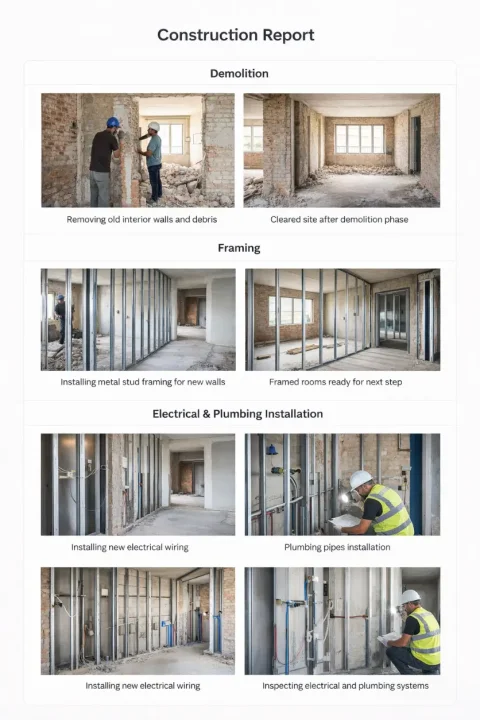
Using photo captions

Image 1
It is recommended to accompany each image with an explanation:
  • what is shown;
  • where the photo was taken;
  • what to pay attention to.
This is especially important for B2B documents where the report is read by third parties.

Consistency of structure

It is important to maintain a uniform principle throughout the document:
  • same order of blocks;
  • same caption format;
  • repeatable logic.
This raises the professional level of the document.

Practical Work with Photos in the Service

In the service, photo organization is implemented through sorting tools and structure management.
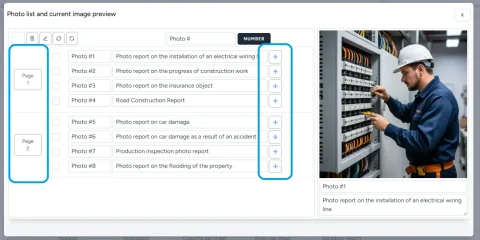

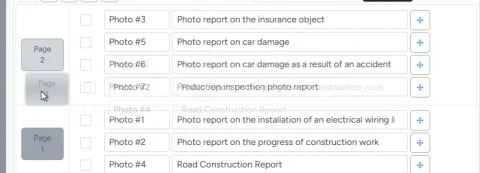
Quickly changing the order

Image 1
Image 2
You can:
  • move images within a page;
  • change the order of pages;
  • restructure the report without editing content.
The mechanism is described in detail in the feature: → Photo Sorting

Grouping and placement logic

When working with a large number of photos, it is recommended to:
  • first form groups;
  • then distribute them across pages;
  • then adjust the order within each group.
This approach speeds up work and reduces errors.

Moving between pages

Image 1
When transferring photos:
  • the page layout is taken into account;
  • new pages are automatically created if needed;
  • the document structure is preserved.
This allows you to work even with large reports without manual adjustment.

Mistakes in Organizing Photos

Incorrect structure reduces the value of the photo report and makes it harder to use.

Common mistakes

  • chaotic order of images;
  • lack of grouping;
  • overloaded pages;
  • lack of captions;
  • mixing different stages in one block.

How to avoid them

  • determine the report structure in advance;
  • use a uniform organization principle;
  • check the logic before export;
  • focus on the end reader.

Recommendations for Large Photo Reports

If the report contains dozens or hundreds of photos:

Divide into logical blocks

  • stages;
  • zones;
  • categories.

Use pages as structure levels

  • one page = one meaning block;
  • avoid overloading.

Structure first — then details

  • first sorting;
  • then captions;
  • then final check.

Functions Used

This guide uses the following functions:

Where It Is Used

This guide can be applied, for example, in the following fields:

FAQ — Organizing Photos in a Photo Report

Depends on the task. For work — chronology, for inspections — zones, for client reports — "before/after".
Yes. Without grouping, the report becomes difficult to understand.
Optimally as many as maintain readability (usually 2–6). Depends on the layout.
Yes, especially in professional reports. This is critical for understanding the context.
Yes. You can rearrange the order and structure at any time.