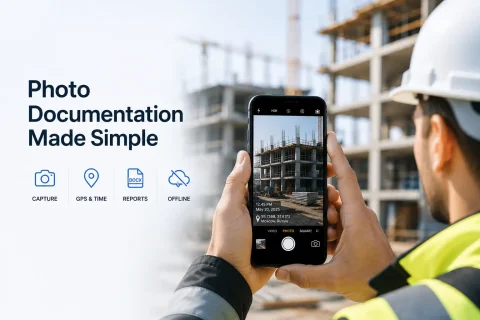

MOBILE PHOTO DOCUMENTATION

Photo documentation app for sites, work, and field inspections

INSPECTOR helps you document sites, property condition, construction stages, service work, and field inspections by generating structured photo reports right on site.

  • Site photo documentation
  • GPS photos
  • DOCX photo reports
  • Capture date and time
  • Work done photos
  • Offline work
Photo documentation app for sites and field inspections
GPS
Geolocation of capture
DOCX
Photo reports
Offline
Work without internet
Photo
Site photo documentation

Download the inspection app

Andrey Apanasenko — founder and developer of INSPECTOR

Andrey Apanasenko

Founder and developer of INSPECTOR

Developed based on 17+ years of practical experience

INSPECTOR was created by Andrey Apanasenko, a developer and specialist with practical experience in inspections, forensic examinations, photo documentation, property appraisal, and professional documentation.

SITE AND WORK PHOTO DOCUMENTATION

How INSPECTOR helps document the condition of an asset

INSPECTOR is designed for systematic photo documentation of sites, property, construction stages, service work, and field inspections. The app helps save:
  • object photos;
  • geolocation and capture address;
  • photo date and time;
  • photo report structure;
  • descriptions and marked areas;
  • device data;
  • linkage of photos to the object and work process.
This approach helps document the condition of assets, confirm work completion, and create clear photo reports for clients, contractors, and managers.

PHOTO DOCUMENTATION FOR FIELD TASKS

Why mobile photo documentation matters for fieldwork

In many industries, it’s not enough to just take a photo—it must be saved within a clear and verifiable process. INSPECTOR helps use mobile photo documentation for:
  • construction supervision;
  • real estate inspections;
  • service visits;
  • contractor oversight;
  • logistics and warehouses;
  • production control;
  • property condition documentation.
Photos are stored within the report structure and can be used to confirm asset condition, work phases, and field activity results.

APP CAPABILITIES

What capabilities INSPECTOR uses for photo documentation

INSPECTOR combines mobile capture, GPS geolocation, photo structuring, offline work, and photo report generation.

Site photo documentation

Photos are saved within the photo report structure and linked to the captured object.

GPS and capture address

The app can save geolocation, address, date, and time of the photo.

Work done photos

INSPECTOR helps document the results of repair, installation, and service visits.

Photo markup

Users can highlight important areas and elements directly on the image.

DOCX photo reports

Photos are automatically compiled into a structured report.

Offline work

Photos and data can be temporarily saved locally on the device.

WHERE PHOTO DOCUMENTATION IS USED

What tasks a photo documentation app is used for

Photo documentation is crucial when you need to confirm the condition of an asset, work results, capture location, and the sequence of actions.

Construction supervision

Photo documentation of construction, hidden work, installation phases, and site condition.

Real estate inspection

Recording the condition of an apartment, house, commercial space, and building systems.

Insurance claims

Documenting the state of property, vehicles, equipment, and real estate assets.

Service visits

Confirming repair, installation, maintenance, and work performed.

Contractor oversight

Remote monitoring of work execution and receiving photo reports from the site.

Logistics and warehouses

Photo documentation of cargo, packaging, warehouse receiving, and shipment condition.

PHOTO DOCUMENTATION PROCESS

How photo documentation is done in INSPECTOR

The app helps systematically document the object, photos, and work results.

  1. 1

    Create a photo report

    The user creates a document for the object, inspection, or service task.

  2. 2

    Take photos

    Object photos are saved inside the photo report structure.

  3. 3

    Save GPS and time

    INSPECTOR can record geolocation, address, date, and capture time.

  4. 4

    Add descriptions

    The user can add notes and highlight important areas on photos.

  5. 5

    Generate photo report

    The finished report can be sent to the client or work can continue via Photo-reports.online.

WHAT IS SAVED DURING CAPTURE

What data is used during photo documentation

INSPECTOR helps save technical and organizational data associated with the photo and capture process.

More about photo context verification

GPS geolocation

The device location is recorded at the moment the photo is created.

Date and time

Timestamps help reconstruct the sequence of actions.

Capture address

The address is derived from geolocation through reverse geocoding.

Link to photo report

The photo remains linked to the document and object.

Device data

Information about the device and app version is saved.

Markup and descriptions

Photos can contain highlighted zones and user notes.

FAQ

Frequently asked questions about photo documentation in INSPECTOR

What is the INSPECTOR app used for?

INSPECTOR is used for photo documentation of construction sites, real estate, service work, logistics, and generating photo reports.

Can INSPECTOR be used for construction supervision?

Yes. The app is suitable for documenting construction phases, hidden work, and site condition.

Does INSPECTOR save GPS geolocation?

Yes. The app can save geolocation, address, date, and time of the photo.

Can you generate photo reports?

Yes. INSPECTOR automatically generates structured DOCX photo reports.

Is the app suitable for service visits?

Yes. INSPECTOR helps confirm repair, installation, and maintenance completion.

Can I work offline?

Yes. The app can temporarily save photos and data locally on the device.

Can I add photos from the gallery?

Yes. INSPECTOR supports importing images from the device gallery.

Is INSPECTOR suitable for real estate photo documentation?

Yes. The app is used for inspections of apartments, houses, commercial spaces, and real estate objects.

Use INSPECTOR for systematic photo documentation of sites and work

Download the mobile photo documentation app for construction, real estate, service visits, quality control, and GPS photo reports.