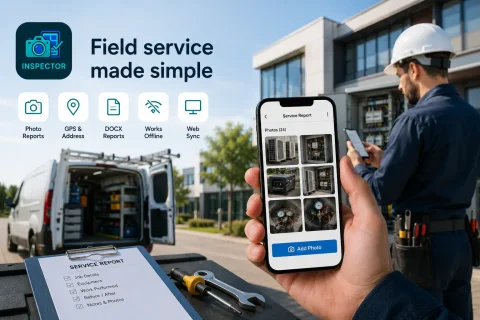

FIELD SERVICE VISITS & PHOTO REPORTS

Mobile App for Field Service Visits and Photo Documentation of Completed Work

INSPECTOR — mobile app for field service visits, site photo capture, and DOCX photo report generation. The app helps document installation, repair, maintenance, and equipment condition directly during the on-site service call.

  • Field service visits
  • Work completion photo capture
  • DOCX photo reports
  • GPS and address stamp
  • Before-and-after photos
  • Offline operation
Mobile app for field service visits and photo documentation of completed work
GPS
Field service visit geolocation
DOCX
Service photo reports
Offline
Field work without network
Web
Synchronization with the web platform

Download the inspection app

Andrey Apanasenko — founder and developer of INSPECTOR

Andrey Apanasenko

Founder and developer of INSPECTOR

Developed based on 17+ years of practical experience

INSPECTOR was created by Andrey Apanasenko, a developer and specialist with practical experience in inspections, forensic examinations, photo documentation, property appraisal, and professional documentation.

FIELD SERVICE PHOTO DOCUMENTATION

App for service engineers and field technicians

INSPECTOR helps capture photo evidence of field service work and document site conditions directly during on-site maintenance. The app is used to record equipment installation, engineering system repairs, technical maintenance, and work completion control. During a service visit, the user can:
  • take photos of the site and equipment;
  • document the condition of machinery;
  • add GPS geolocation;
  • save date and time of capture;
  • record repair and installation stages;
  • document equipment connections;
  • generate a service photo report;
  • work offline.
INSPECTOR streamlines field service visits and automatically links photos to the report structure and service object.

SERVICE DOCUMENTATION AND PHOTO REPORTS

Documenting installation, repair, and service work

During a field service call, it is vital not only to take photos, but also to:
  • establish the technical condition of the equipment;
  • verify that work has been performed;
  • preserve the service sequence;
  • prepare a photo report for the customer;
  • document equipment installation;
  • confirm repair work completion;
  • preserve location and time data.
INSPECTOR facilitates on-site service photo documentation and automatically builds structured DOCX photo reports.

USE CASES

How INSPECTOR is used in field service

INSPECTOR helps systematize field service visits and on-site photo documentation.

Equipment installation

Photo documentation of equipment setup and completed installation work.

Engineering system repairs

Documenting service maintenance and equipment repair.

Air conditioner servicing

Before-and-after photos of climate system maintenance.

Telecom work

Photo capture of equipment hookup and communication lines.

Industrial equipment maintenance

Documenting the technical condition of equipment.

Work completion control

Confirming the outcome of a service visit and completed tasks.

FIELD SERVICE CAPABILITIES

What INSPECTOR does for service photo reports

INSPECTOR combines field service visits, GPS photos, image markup, and photo reports in one mobile app.

Field service photo capture

Documenting installation, repair, and maintenance work.

Equipment condition recording

Highlighting problem areas and technical details on photos.

GPS and site address

Saving geolocation, address, and capture time.

Service photo reports DOCX

Automatic generation of photo reports for the customer.

Before-and-after photos

Documenting the results of completed work.

Offline mode

Field service photo capture even without internet connectivity.

SERVICE VISIT PROCESS

How INSPECTOR helps organize field service

The app streamlines on-site photo documentation of service work.

Mobile app documentation
  1. 1

    Create a new photo report

    Add a new document for the service visit.

  2. 2

    Take photos of the site

    INSPECTOR automatically saves photos inside the report.

  3. 3

    Add geolocation and description

    The app can save address, date, and time.

  4. 4

    Highlight key areas

    Use photo annotations to document site specifics.

  5. 5

    Generate DOCX report

    Send the service photo report to the customer or manager.

TECHNOLOGY AND CAPTURE CONTEXT

GPS, capture context, and field service photo evidence

INSPECTOR helps retain field service data and capture context inside the photographs.

FAQ

Frequently asked questions about field service visits in INSPECTOR

What is INSPECTOR used for on field service calls?

The app helps capture photo evidence of service work and prepare photo reports.

Can INSPECTOR be used for installation jobs?

Yes, the app is suitable for documenting equipment installation and system hookups.

Are GPS photos supported?

Yes, INSPECTOR can save geolocation, address, and capture time.

Can DOCX photo reports be created?

Yes, the app automatically generates service photo reports in DOCX format.

Does INSPECTOR work offline?

Yes, photo capture of service work is supported without a network connection.

Can I highlight important areas on photos?

Yes, INSPECTOR supports photo annotations and highlighting of equipment elements.

Is there a web version?

Yes, photo reports are available via Photo-reports.online.

Use INSPECTOR for field service visits and photo documentation of completed work

Download the mobile app for field service visits, GPS photos, installation and repair documentation, and DOCX reports directly on site.