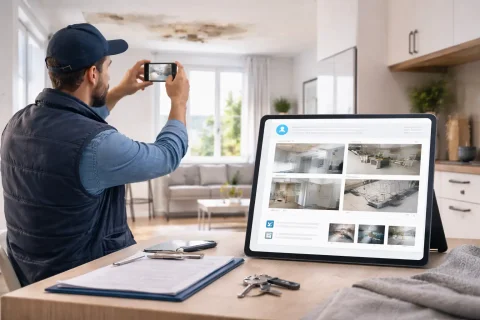

Real Estate Photo Report

A real estate photo report is used to document property condition during rental, sale, or management. Reduces risks and simplifies interaction.

Real Estate Photo Report

What is a real estate photo report

A real estate photo report is a structured document in which photographs are used to document the condition of the property and its individual areas. Unlike a simple folder of snapshots, such a report is built around the logic of inspection, handover, management, or condition analysis. The main purpose of this document is to preserve visual information in a form suitable for further work. It is needed not just to "take photos", but to document the property's condition and, when necessary, use this material as a basis for comparison, acceptance, approval, reporting, or dispute resolution. In real estate, this is especially important because the same property may go through different stages: viewing, move-in, operation, repair, rental, sale, re-inspection, or return. If the property's condition is documented consistently at each stage, working with it becomes much easier.

Create a photo report for your use case

Use the service to prepare a photo report for a similar task and see how it works in practice.
Create a photo report without registration
If you want to create full-featured photo reports in the dashboard — top up your balance in your user profile.

When a real estate photo report is used

A real estate photo report is needed in scenarios where the property's condition must be shown, confirmed, or compared. Below are the key cases where this format is particularly useful.

Property handover for rental

When renting, it is important to document the condition in which the premises are handed over to the tenant. This helps both parties understand the starting point in advance and reduces the risk of disputes upon move-out or re-acceptance. In this case, the photo report is typically used for:
  • documenting the condition of rooms, finishes, and equipment
  • documenting furniture, appliances, and interior elements
  • confirming the absence or presence of defects at the time of handover.
Thanks to this, the parties have a unified visual document to refer back to later.

Real estate sale

During a sale, a photo report can be used not only as marketing material but also as a tool for documenting the property's condition. It helps to show rooms, layout features, finishes, and the current condition of key areas in a structured way. This is particularly useful when you need to:
  • present the property to a client or buyer remotely
  • systematically show the condition of the rooms
  • prepare materials for internal approval or transaction support.
As a result, the document becomes more convenient than just a set of unstructured photos.

Acceptance after renovation or work

If repairs, maintenance, cleaning, restoration, or other work has been carried out on the property, a photo report helps confirm the result and show the condition the property is in after the task is completed. This facilitates agreement between the owner, contractor, managing party, and client.

Disputes and control situations

In real estate, situations often arise where it is important to have not only a text description but also visual confirmation of the condition. This may concern damage, signs of use, quality of repair, or claims by the tenant or owner. In such situations, a photo report helps move the discussion from subjective assessments to a more objective level.

Mobile field reporting

Document property inspections in a mobile app

INSPECTOR is suited for capturing the condition of an apartment, house, commercial space, or rental unit before handover, after tenant move-out, or during periodic checks.

  • Room-by-room photo documentation
  • Condition before and after lease
  • Damage recording
  • Report for the owner or client

Record property condition in INSPECTOR

Photograph rooms, damage, and critical details, then generate a report for the client or property owner.

Property inspection appPhotos with GPS and addressBefore & after reports

Tasks of a photo report in real estate

A real estate photo report addresses several practical tasks simultaneously. Its value is not limited to simply capturing images – it helps organize work with the property and makes interaction between parties more transparent.

Documenting property condition

This is the basic task from which most scenarios start. A photo report makes it possible to show exactly how the property looks at a specific moment: at handover, during inspection, after work, or during use. Such a document is particularly important when later it becomes necessary to compare the property's condition over time.

Preparing materials for clients, tenants, or owners

Not all participants in the process see the property in person. Therefore, a photo report is needed to convey information to those who make decisions, approve work, or assess the condition of the room remotely. If the material is well assembled, it helps speed up approval of actions and reduces the number of additional questions.

Documenting changes

A property rarely remains unchanged. Repairs, moves, alterations, wear and tear, improvements, or damage may occur. A photo report helps document these changes consistently and refer back to them later. This is especially useful in long-term property management.

What objects and areas are typically included in a photo report

For the document to be useful, it's important to include not random shots but photos of those areas that genuinely affect the assessment of the property's condition. Below are the typical blocks most often included in a real estate report.

General view of the property

At the beginning, it's useful to show the property as a whole: facade, entrance area, main rooms, or the general plan of the zone. This helps set the context and makes the document more understandable from the first pages. Such shots are especially important if the report will be viewed by someone who was not personally present on site.

Residential or work rooms

Rooms, offices, sales floors, corridors, kitchens, bathrooms, utility rooms, and other internal areas form the basis of most reports. They show the property's condition in daily-use parts. This is where finishes, furniture, appliances, signs of use, and overall condition quality are most often documented.

Individual elements and surfaces

If the task of the report is to capture nuances of condition, it's useful to show windows, doors, walls, floors, ceilings, built-in elements, sanitary fixtures, utility points, and other important details. Such photos add depth and help make conclusions more precise.

Problem areas and defects

If there are damages, signs of wear, dirt, cracks, finish violations, or other remarks on the property, they should be included in the report as separate blocks. Without this, the document may be incomplete and lose practical value. Such areas are especially important in rental, acceptance, sale, and dispute situations.

Additional contextual photos

Sometimes it's useful to add shots of the surrounding area, entrance, parking, utility rooms, common areas, or other parts that help better understand the overall condition of the property. As a result, the report becomes more comprehensive and suitable for various use scenarios.

How to properly prepare a real estate photo report

Even good photos don't provide maximum benefit if the document is assembled without clear logic. For real estate, this is especially important because the property often consists of several rooms, zones, and elements, and a chaotic report quickly loses value.

  • First, photos should be grouped according to the property's structure. This could be division by rooms, floors, zones, functional blocks, or inspection stages. This approach makes the document clear and helps find needed information faster.
  • Second, it's useful to add captions and brief explanations. The report should make it clear what exactly is depicted: room, facade, bathroom, window, damaged area, utility element, or specific problem.
  • Third, it's important to maintain a consistent format. If one part of the document is formatted as a general overview and another as a random collection of close-ups, the report is perceived as weaker and requires additional comments.
  • Fourth, the volume should be controlled. It's useful to include enough photos to understand the condition, but not to overload the document with dozens of similar shots without new information.
  • Fifth, the overall meaning of the report must be preserved. The reader should understand what property this is, in what context the document was prepared, and what conclusion follows from the presented materials.
As a result, a carefully prepared photo report helps not only document the property but also use the document as a real working tool.

Structure of a real estate photo report

A suitable structure makes the document clear for the owner as well as the tenant, agency, management company, or contractor. It is practical to build such a report from several sequential parts.

Introductory information about the property

At the beginning, it's useful to indicate which property the report refers to, in what context it was compiled, and when the condition documentation was carried out. This usually includes:
  • property type
  • address or identifier
  • inspection or handover date
  • purpose of the report.
This block helps immediately understand the context of the document.

Main sections by zones

After the introductory part, it's convenient to follow the property's structure: entrance, rooms, kitchen, bathrooms, balcony, utility rooms, common areas, or commercial blocks. This order makes the document sequential and helps navigate large amounts of material more easily.

Photos and comments

Within each section, images and brief explanations for them are placed. Here it's important not just to show photos, but to connect them to a specific part of the property and to the purpose of the report. This is the core of the document, so this block should be particularly careful and readable.

Remarks and final conclusions

If there are problem areas in the report, it's useful to state them explicitly. At the end of the document, it's also desirable to briefly indicate the overall conclusion on the property's condition and, if necessary, further actions. Such a structure makes the document suitable for storage, approval, and reuse in the future.

Common mistakes in real estate photo reports

Even with a good set of photos, the document can turn out weak if it is compiled without considering the real tasks of real estate. Below are the mistakes that especially often reduce the value of such a report.

No logic by rooms and zones

If photos are placed without structure, it's difficult for the user to understand which part of the property each shot belongs to. This is especially inconvenient in apartments, houses, and commercial spaces with multiple zones. Because of this, the document becomes less suitable for analysis and comparison.

Insufficient context

If the report contains only details but no general views, it's difficult to understand the location of zones and the overall condition of the property. Such a document is perceived as fragmentary. Context is especially important for those getting acquainted with the property remotely.

Too few explanations

Without captions, photos can be ambiguous. The user doesn't always understand where a specific area was shot, why it's important, and which room it belongs to. This is especially critical when documenting remarks and defects.

Overload with similar shots

If there are too many similar photos in the document, attention becomes scattered. Instead of a strong report, you get a long array of images from which it's hard to extract the main point. Therefore, it's better to select shots based on meaning, not quantity.

No clear conclusion

Sometimes a report shows the property well but doesn't help draw a conclusion. For practical work, it's important that the document ends with a clear conclusion: condition documented, remarks noted, property handed over, changes confirmed, etc. Only in this case does the report become a truly working tool, not just an archive of photos.

How to prepare a real estate photo report online

Using the service allows you to avoid manually assembling photos in scattered editors and instead format them in a single process – from uploading images to creating the final document. This is especially convenient for those who work with properties regularly and want to maintain a consistent standard. The process typically looks like this:

  1. First, photos are taken on the property following a clear logic: general view, rooms, key areas, remarks, details.
  2. Then the images are uploaded to the system and distributed according to the structure of the future report.
  3. Next, captions, explanations, and grouping logic are added.
  4. The final document layout is created.
  5. The finished report is used for sending, storing, approving, or re-comparing in the future.
This approach helps make the document more professional, speeds up preparation, and simplifies long-term work with real estate properties.

Advantages of a digital real estate photo report

In real estate, it's especially important to work with documents that can be referred back to later. That is precisely why the digital format here offers not just convenience but a practical advantage.

As a result, the digital photo report helps make working with real estate more transparent, systematic, and convenient.

Where this format is especially useful

A real estate photo report is in demand in many scenarios, but it brings the greatest benefit where the property's condition must be documented accurately and clearly for multiple parties.

Rental and handover of premises

In these cases, it's important to document the property's condition at the time of handover so that the parties have a common reference point. The photo report makes this process more transparent and smooth.

Management of commercial and residential real estate

For management companies and property owners, this format is useful as a tool for regular condition documentation, monitoring changes, and accumulating the property's history.

Sale and presentation of the property

When you need to show the property in a structured and visual way, a photo report helps present it better than just an unrelated set of shots. This is useful both for internal work and for interacting with clients.

Inspections, checks, and acceptance

During checks and inspections, the document helps show the current condition of the property, noted remarks, and the basis for further decisions.

Disputes and repeated comparisons

If later it's necessary to confirm what the property looked like at a certain moment, having a photo report significantly simplifies communication and reduces the risk of misunderstandings.

Used guides

To prepare such a report faster and avoid a chaotic presentation of materials, it's useful to rely on the related guides. They help assemble the document not only technically but also substantively.

  • How to create a photo report – helps build the overall process of document preparation from start to finished result. This is good basic material for those just forming a reporting structure.
  • How to organize photos in a photo report – shows how to logically arrange images and divide them into blocks. For real estate, this is especially important because the property often consists of several rooms and zones.
  • Photo report template – helps use a more predictable structure and bring the document to a tidy appearance faster. This is useful if reports are created regularly and a consistent standard is needed.
Together, these materials allow you to reduce manual work and make the final document more understandable and professional.

Used functions

For preparing a real estate photo report, functions that help quickly gather a large number of images and bring them into a convenient structure are especially important.

  • Uploading photos – allows you to quickly transfer materials to the system and start working with them without unnecessary intermediate steps. This is important when many shots have been accumulated for the property.
  • Sorting photos – helps build a logical sequence by rooms, zones, or tasks. Thanks to this, the report becomes clearer and suitable for comparison.
  • Creating a photo report – combines images, structure, and final formatting into a single document. This allows you to quickly move from a set of materials to a finished working report.
If these functions are used together, the document is not just assembled but truly convenient for transfer, storage, and subsequent analysis.

FAQ

It helps document the property's condition, show it to other participants in the process, and keep clear visual documentation for further work.
It is especially needed in rental, sale, acceptance, property management, inspections, and situations where it's important to confirm the property's condition.
It typically includes photos of the property, structure by zones or rooms, captions, documentation of remarks, and a final conclusion on the condition.
Yes, this is one of the most common scenarios. A photo report helps document the property's condition at handover and reduces the risk of disputes between parties.
Yes, explanations help understand which part of the property the shot belongs to and why it's important in the context of the document.