Applications nastroek
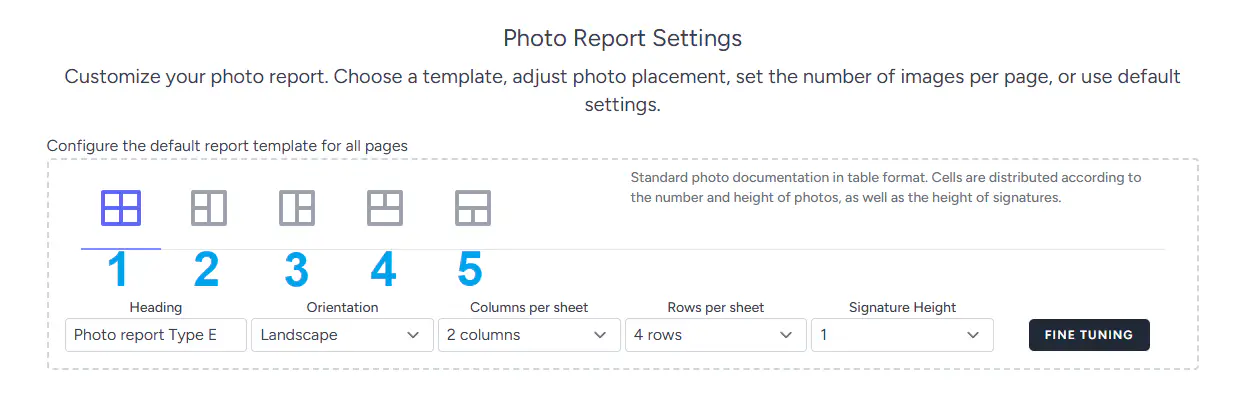
- settings iz verkhnego bloka primenyayutsya ko vsemu photo reportu
- settings pages allow zadat individualnyy template photo report
Configuration layout photo report lets you upravlyat structure photo sheet, raspolozheniem photos and parametrami otobrazheniya pages in itogovom documente. Feature is used after upload photos and opredelyaet, how images and captions budut razmescheny in DOCX-fayle. Vizualnaya structure layout in the interface polnostyu sootvetstvuet itogovomu documentu, chto lets you at once kontrolirovat result.
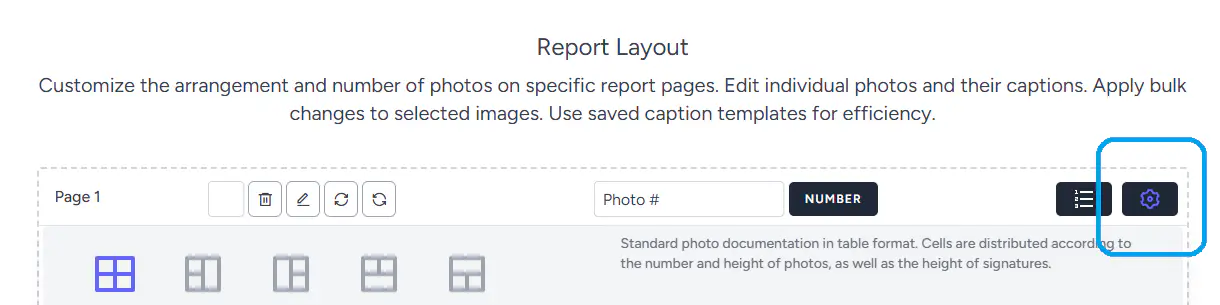
Posle upload photos on the page poyavlyaetsya blok settings layout photo report.
If you’re not registered yet — open the tool and try these features while creating your first inspection report or photo documentation. If you already have an account — start building your reports in the dashboard.
Dostupno 5 variantov raspolozheniya photos:

Parametry structure zavisyat from vybrannogo layout:
Dlya kazhdoy pages you can zadat:
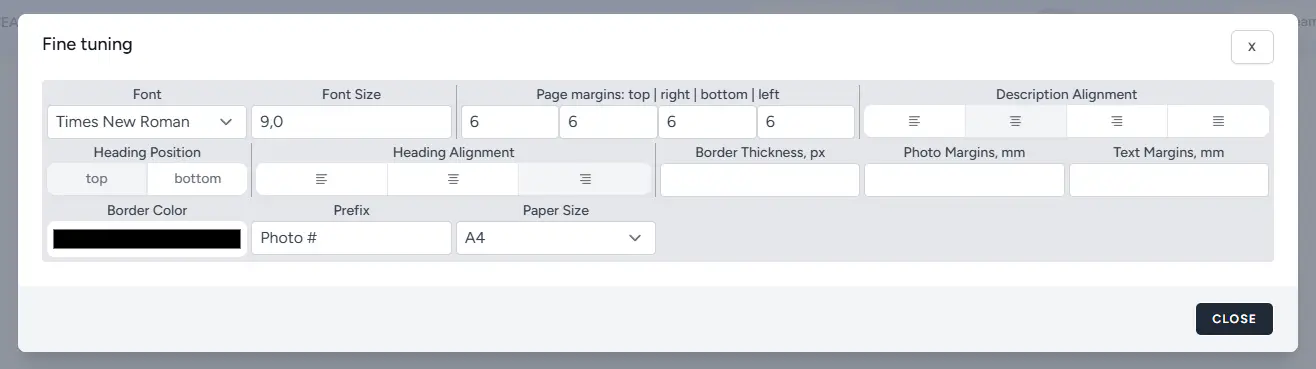
Dostupny for vsego photo report and for otdelnykh pages.
Pri izmenenii:
Configuration layout photo report lets you:
Eta feature is used across different workflows, gde trebuetsya photo capture and preparation reports.
Feature can byt ispolzovana for creating photo reports across different industries, onexample: