
QUALITY CONTROL & PHOTO REPORTS

Mobile app for quality control and photo documentation

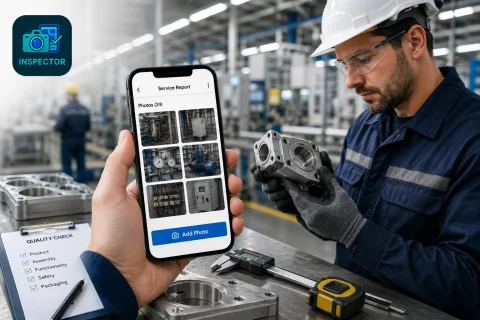
INSPECTOR — mobile app for quality control, photo documentation of objects and DOCX photo report generation. The app helps document the condition of products, equipment, construction sites and completed work directly during quality inspections.

  • Quality control
  • Photo documentation
  • DOCX photo reports
  • GPS and capture address
  • Before and after photos
  • Work offline
Mobile app for quality control and photo documentation
GPS
Inspection geolocation
DOCX
Quality control photo reports
Offline
On-site work without network
Web
Sync with website

Download the inspection app

Andrey Apanasenko — founder and developer of INSPECTOR

Andrey Apanasenko

Founder and developer of INSPECTOR

Developed based on 17+ years of practical experience

INSPECTOR was created by Andrey Apanasenko, a developer and specialist with practical experience in inspections, forensic examinations, photo documentation, property appraisal, and professional documentation.

QUALITY CONTROL PHOTO DOCUMENTATION

App for quality control of products, equipment and objects

INSPECTOR helps carry out quality control and document condition directly during on-site visits. The app is used for photo documentation of products, equipment, construction sites, warehouse operations and completed work. During an inspection the user can:
  • take photos of the object or product;
  • record the condition of equipment and materials;
  • add GPS geolocation;
  • save date and time;
  • document inspection stages;
  • control the quality of completed work;
  • create a photo report for the inspection;
  • work offline.
INSPECTOR systematizes the quality control process and automatically links photos with the report structure and the inspection object.

DOCUMENTATION & QUALITY CONTROL PHOTO REPORTS

Documenting quality inspection results

During quality control it is important not just to take photos but also:
  • record the condition of the product or equipment;
  • confirm the inspection was performed;
  • preserve the inspection sequence;
  • prepare a photo report for the client or manager;
  • document the object condition;
  • verify the quality of completed work;
  • save location and time data.
INSPECTOR enables on-site quality control photo documentation and automatic generation of structured DOCX photo reports.

USE CASES

How INSPECTOR is used for quality control

INSPECTOR helps systematize quality inspections and photo documentation.

Product quality control

Photo documentation of products and verification of production processes.

Final product inspection

Documenting product condition before shipping.

Construction quality control

Verifying construction quality and completed work.

Equipment inspection

Photo documentation of equipment technical condition.

Warehouse operations control

Documenting goods and packaging condition.

Contractor quality control

Confirming work quality and site condition.

QUALITY CONTROL CAPABILITIES

What INSPECTOR does for quality inspections

INSPECTOR combines quality control, GPS photos, image markup and photo reports in one mobile app.

Quality inspection photo documentation

Documenting condition of products, objects and equipment.

Object condition recording

Highlighting problem areas and features on photos.

GPS and object address

Saving geolocation, address and capture time.

DOCX photo reports

Automatic generation of quality control reports.

Before and after photos

Documenting changes in condition.

Work offline

Quality inspections even without network connection.

QUALITY CONTROL PROCESS

How INSPECTOR helps organize a quality inspection

The app helps arrange photo documentation of the quality inspection right on site.

Mobile app documentation
  1. 1

    Create a new photo report

    Add a new document for the quality inspection.

  2. 2

    Take photos of the object

    INSPECTOR automatically saves photos inside the report.

  3. 3

    Add geolocation and description

    The app can save address, date and time.

  4. 4

    Highlight important areas

    Use photo markup to capture object specifics.

  5. 5

    Generate a DOCX report

    Send the photo report to the client or manager.

TECHNOLOGY & CAPTURE CONTEXT

GPS, capture context and quality control

INSPECTOR helps save inspection data and capture context inside photos.

FAQ

Frequently asked questions about quality control in INSPECTOR

What is INSPECTOR used for in quality control?

The app helps with photo documentation of inspections and preparation of photo reports.

Can INSPECTOR be used in manufacturing?

Yes, it is suitable for product quality control and production processes.

Are GPS photos supported?

Yes, INSPECTOR saves geolocation, address and capture time.

Can DOCX photo reports be created?

Yes, the app automatically generates DOCX reports.

Does INSPECTOR work offline?

Yes, quality inspections and photo documentation are supported without a network.

Can I highlight important areas on photos?

Yes, INSPECTOR supports photo markup and highlighting features.

Is there a web version?

Yes, photo reports are available through Photo-reports.online.

Use INSPECTOR for quality control and photo documentation

Download the mobile app for quality control, GPS photos, product documentation and DOCX photo reports right on site.